Releasing An App
This document describes the process that you must take to release an FW app. Releasing an FW app will enable it to be installed using the production version, click here for tutorial on installing production.
-
Very Important: In your preferred Git client, ensure you have the latest changes pulled and your changes committed and pushed. Otherwise the released version and all updates from the repository will not be in sync. Additionally, if you are developing in a branch other than
master, make sure to do a pull request to master. Easiest way to do this is to go to your branch in github, and select the option x commit ahead of" this brings up a menu where you can compare your changes click "create pull request" next to your branch, using the "Pull Request" strategy, as in the pictures below:
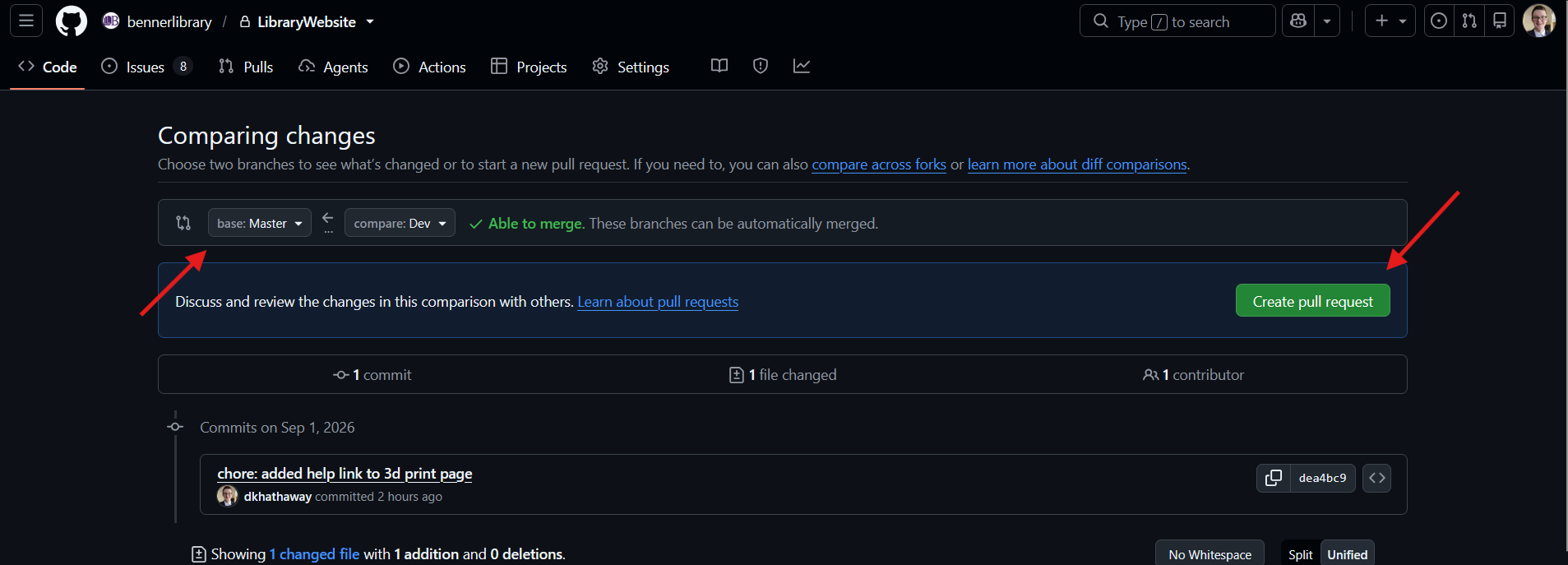
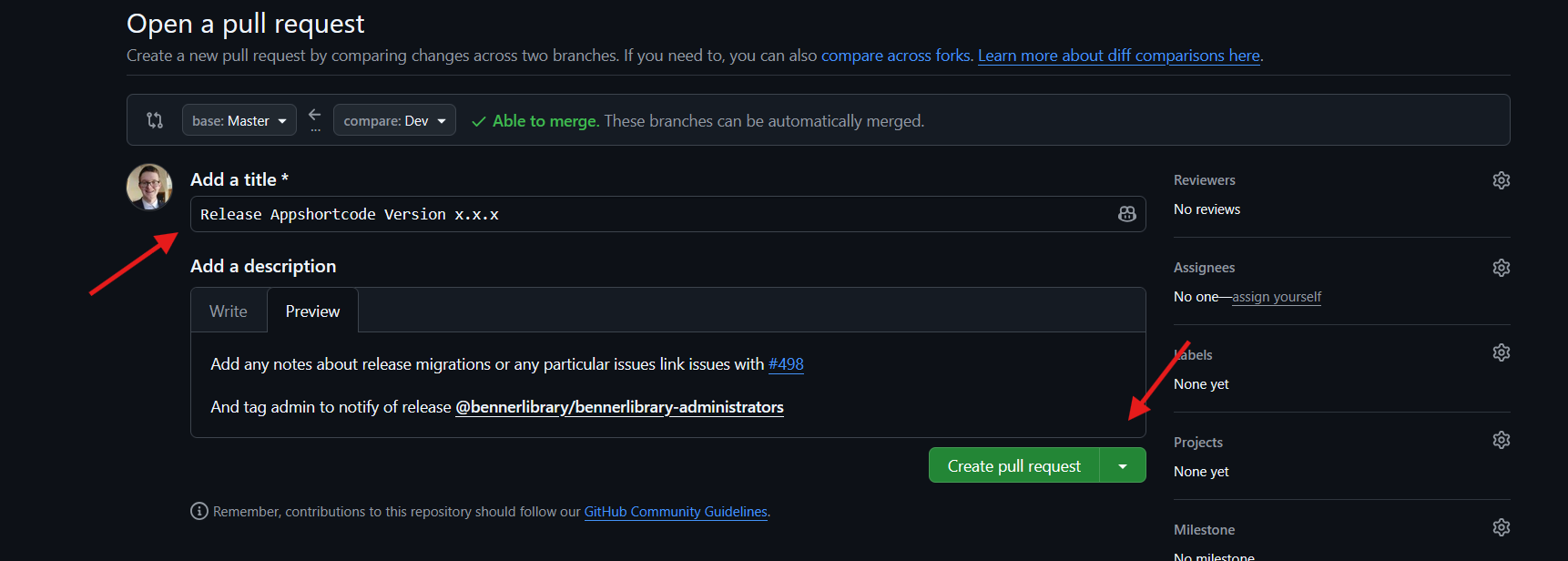
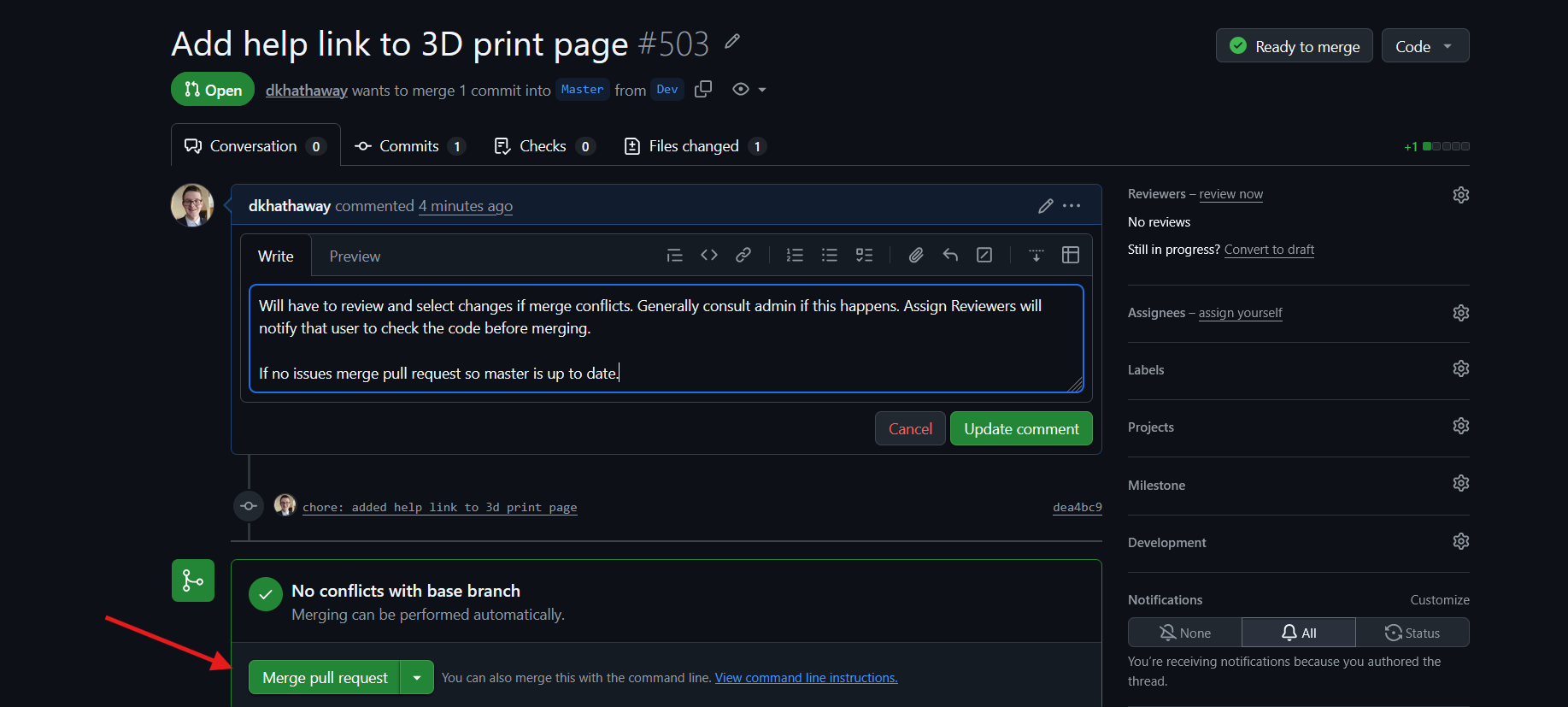
-
Increment the version number in your apps's
fw.jsonand commit the change -
Run
gulp releaseat your app's root
C:\Users\{username}\api-dir\apps\my-app> gulp release
- Run
fw publishat your app's root
C:\Users\{username}\api-dir\apps\my-app> fw publish
-
Check Github Releases making sure your app released correctly and then delete the local zip folder that was created from release.
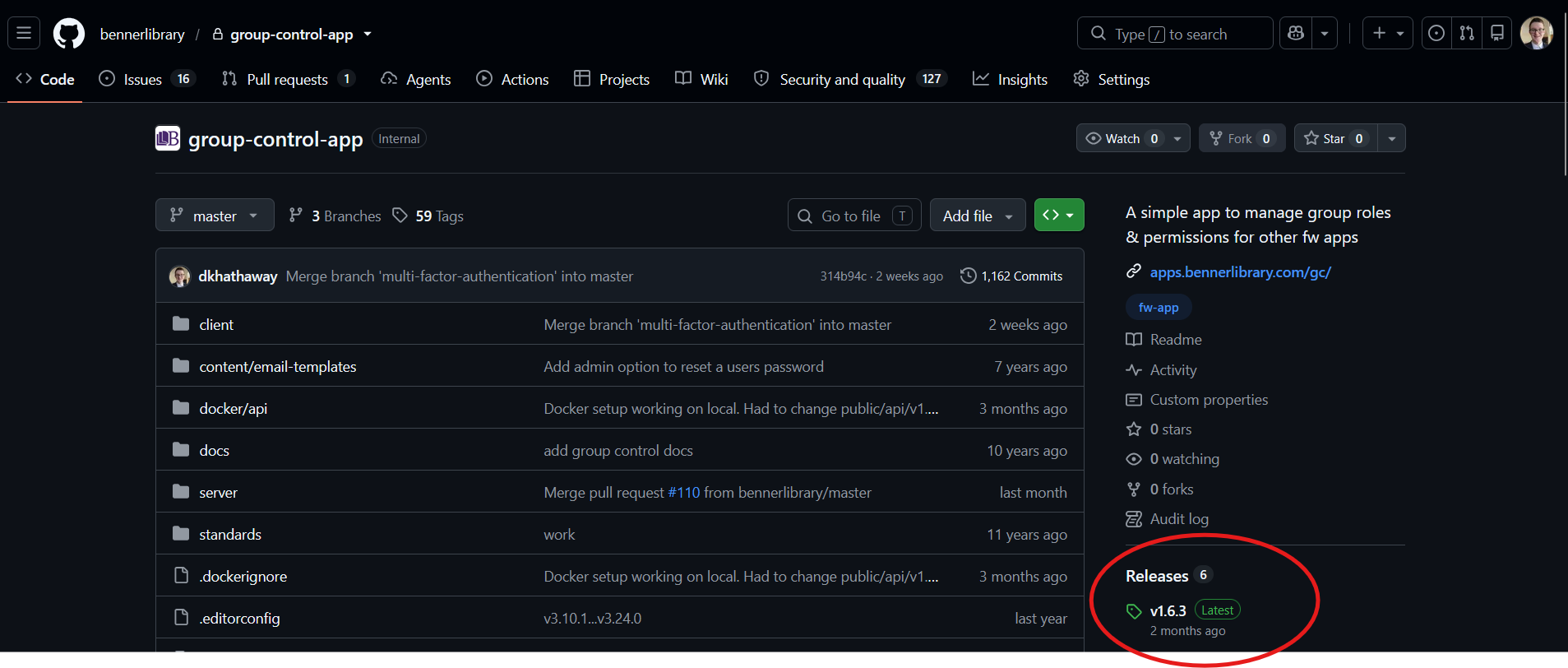
-
Follow Departmental Policies for testing and notifying admin of a release. For Informatics, that can be found here.